5 min readBy JJ Eaton
Running a large AI model on two desktop machines: what my DeepSeek results mean for business
I tuned DeepSeek-V4.1-Flash to run on two NVIDIA DGX Sparks. Here are the benchmark results, and what local AI means for cost, privacy and control.
A few years ago, running a serious AI model meant renting time on someone else's data centre. Today I run one on two desktop-sized machines in my home office, and it handles a real share of my day-to-day work.
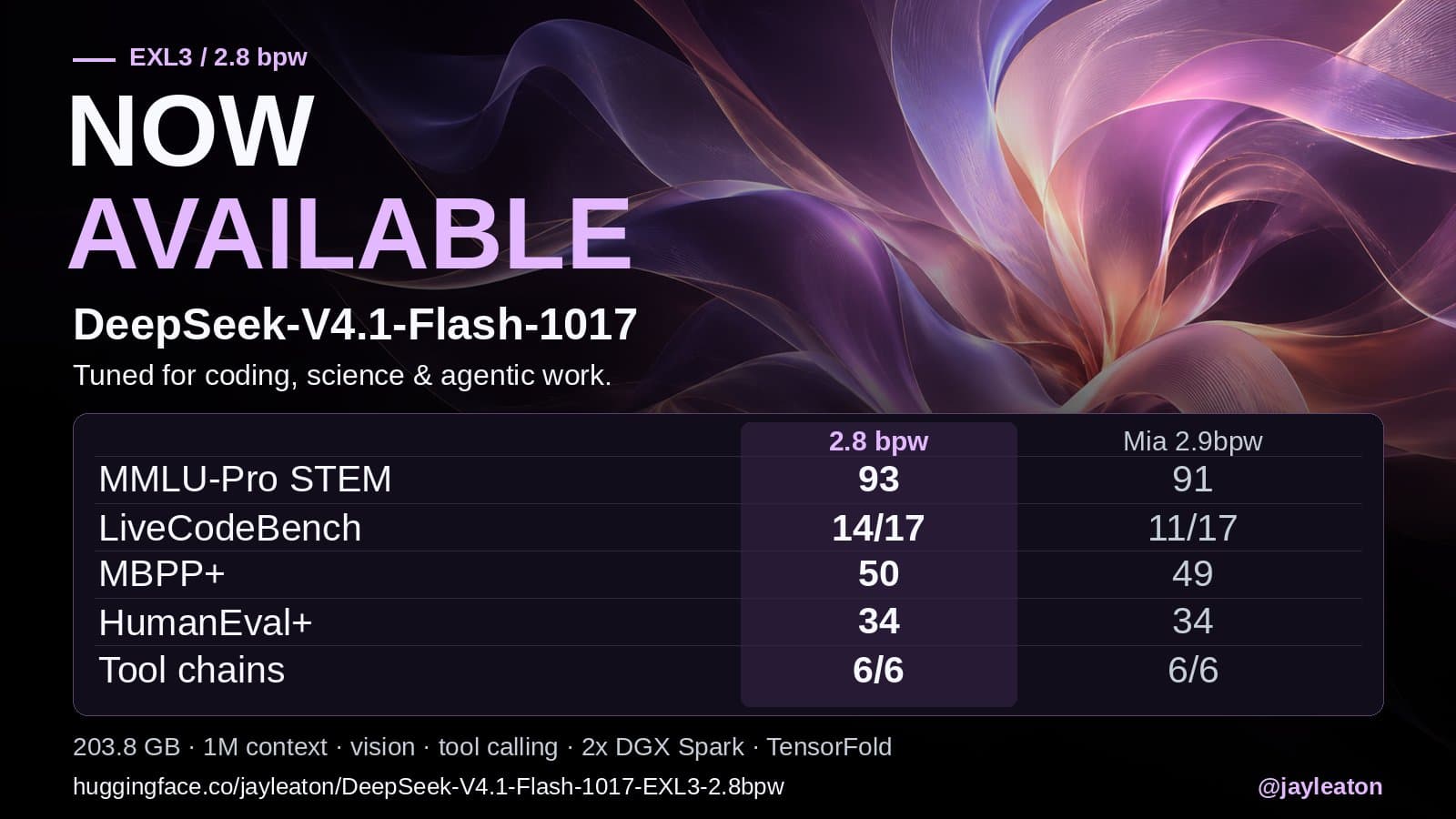
Last week I released a new build of DeepSeek-V4.1-Flash-1017 that runs on two NVIDIA DGX Spark machines. This article covers what I built, how it scored, and why I think more businesses should be paying attention to local AI.
What I actually built
Large AI models are too big to fit on small hardware as they come. To make them fit, you "quantise" them: you store the model's numbers with fewer bits, so the whole thing takes up less memory. Do it badly and the model gets noticeably dumber. Do it well and you keep almost all of the quality in a much smaller package.
My build (I call it a quant) uses the EXL3 format at 2.8 bits per weight. The finished model is 203.8 GB and runs across two DGX Sparks using the TensorFold engine. It supports a 1 million token context, image input and tool calling, with a cache of about 2.1 million tokens once you include offloading to fast NVMe storage.
The goal this time was simple: make it smarter where it matters for real work. The previous version was already good at tool calls and other languages, so I calibrated this one for coding, science and agent-style work, while trying to keep everything else level.
The weights are published on Hugging Face and the setup recipe is on GitHub, and parts of that recipe have started to be merged into upstream TensorFold.
How it scored
Early checks against the full, uncompressed 1017 model came out at 95.17% on code, 94.93% on science and 87.64% on tool calls. In other words, the compressed version keeps most of the original model's ability.
I then ran the same 353 questions across three packs: my new build, a 2.9 bit build by @MiaAI_lab, and my older version.
| Test | My new build | Mia 2.9 | My old build |
|---|---|---|---|
| MMLU-Pro STEM (of 100) | 93 | 91 | 90 |
| LiveCodeBench (of 17) | 14 | 11 | 11 |
| MBPP+ (of 60) | 50 | 49 | 50 |
| HumanEval+ (of 40) | 34 | 34 | 33 |
| BFCL tool calls (of 40) | 39 | 39 | 39 |
| Multi-step tool chains (of 6) | 6 | 6 | 4 |
These are small samples, so I read it as "at least as good, in a smaller pack". It isn't a blowout. The gaps I cared about were coding and multi-step tool chains, which my old build kept dropping, and both improved.
A few days later I ran Mia's build and mine side by side on the same engine, with the same 356 questions, prompts and graders. Quality came out 320 vs 316 (89.9% vs 88.8%). The 95% confidence interval on that gap runs from -4.5 to +2.3 points, so honestly, it's a tie. Speed was close too: about 86.6 vs 86.5 tokens per second for code on a single stream.
The real difference was memory. Mia's build is about 3.2 GB bigger per machine, which leaves room for roughly 170K tokens of cache. Mine fits 2.1 million. For long documents and long-running agent work, that headroom matters.
One more lesson from that comparison: there are no shared, agreed benchmarks for measuring speed across these setups. In Mia's own recipe her build looked around 10% faster than mine. Different tests, different answers. If someone shows you a single speed number for an AI setup, ask how it was measured.
Why this matters for a business
Your data stays on your hardware
When the model runs on machines you own, prompts, documents and outputs never leave your network. For anyone handling client files, financial records, health information or commercially sensitive work, that removes a whole category of questions about where your data goes and who can see it.
The cost model changes
Cloud AI is billed per use, forever. Local AI is mostly an upfront hardware decision, after which the marginal cost of running another task is small. Local AI already does about 30% of my own work. Once local models reach the level of today's best paid models, I expect nearly all of it to run locally.
The two reasons I would still pay for cloud subscriptions are:
- Speed. If a provider can give me 200 to 300 tokens per second at today's prices, that multiplies output and is worth paying for.
- Very hard problems. Frontier maths and science work may stay ahead in the cloud for a while.
Most everyday business tasks don't fall into either bucket.
It runs while you're away
While on holiday I had this hardware working on its own: running benchmarks overnight, finding ideas to improve the setup, and handing them off for checking. Local AI isn't just a chat box. It can be a worker that keeps going on the jobs you give it.
It's not plug and play (yet)
Be realistic. Getting this result took tuning, testing and careful measurement, and the honest answer was "a tie, with better memory headroom", not a miracle. Hardware choice, model choice and setup all change the outcome. That's exactly why it pays to test on your own workloads before you buy anything.
Where to start
You don't need to jump straight to buying hardware. A sensible first step is to look at which of your workflows touch sensitive data or run at high volume. Those are the ones where local AI tends to pay off first.
If you'd like help working that out, a Build Things AI readiness audit looks at your workflows, your data and whether a local, cloud or hybrid setup fits best. We're based in Perth, Australia, and work with businesses wherever they are.
Sources
Related articles
6 min read
How many people can share one local AI setup? My DeepSeek numbers
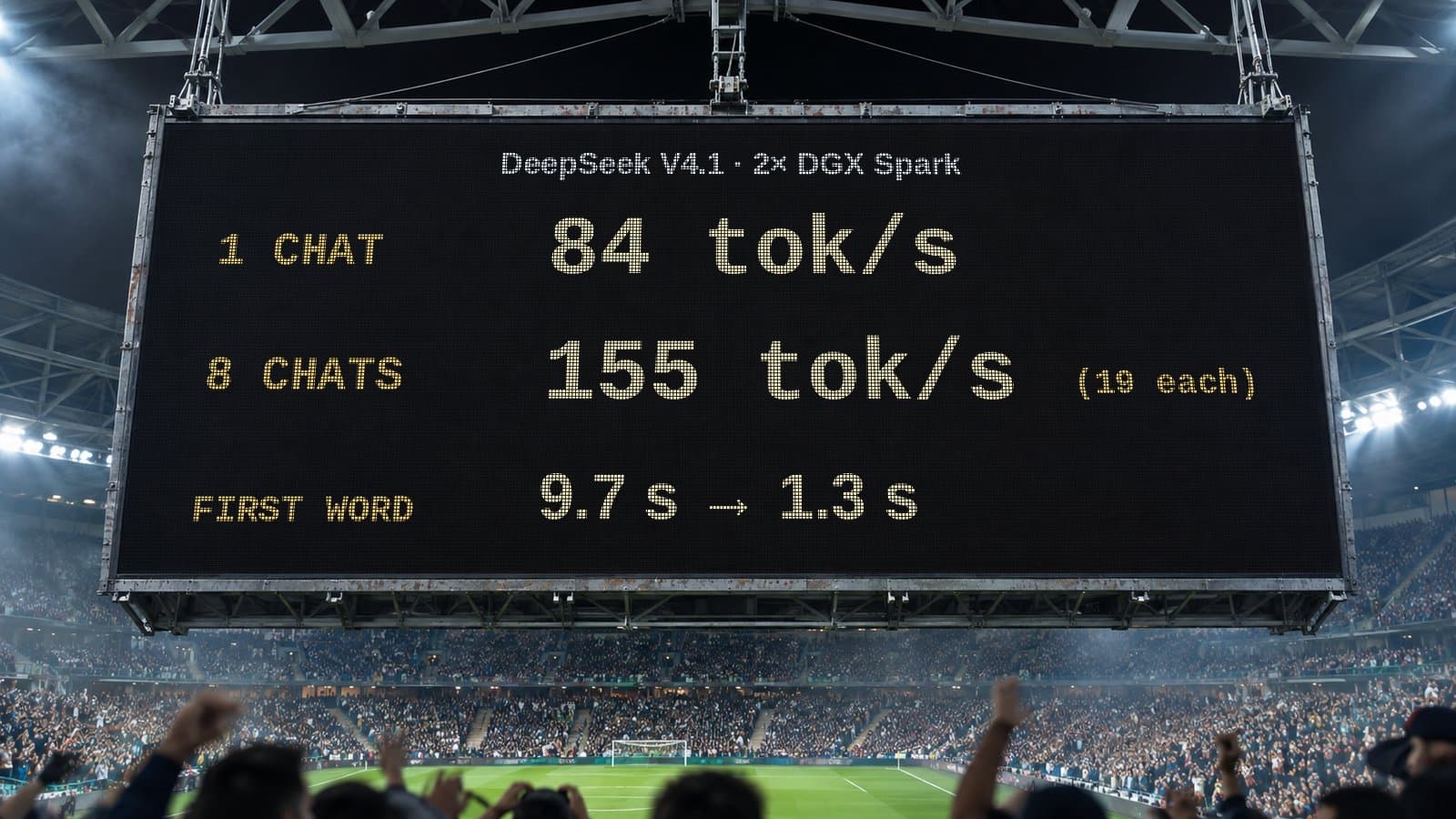
One chat on two DGX Sparks gets 84 tok/s. Eight at once share 155 tok/s. What that means when you plan local AI for a whole team, not just one person.

5 min read
AI is going to get more expensive. Here's how I'm planning for it
Cloud AI prices and hardware costs are likely to rise. How I match models to tasks and move work to local AI so my business isn't caught out.
5 min read
When an AI speedup helps and when it doesn't: my compute lanes results
My local DeepSeek setup got 6.3s replies instead of 26.9s with 78% fewer tokens on computation tasks, and no gain on standard benchmarks. Here's why.