5 min readBy JJ Eaton
Letting a local AI model run code while it's still answering
I gave my local DeepSeek setup a way to run code mid-response. Same 38 of 40 coding tests solved, 16% faster overall, with fewer requests and tokens.
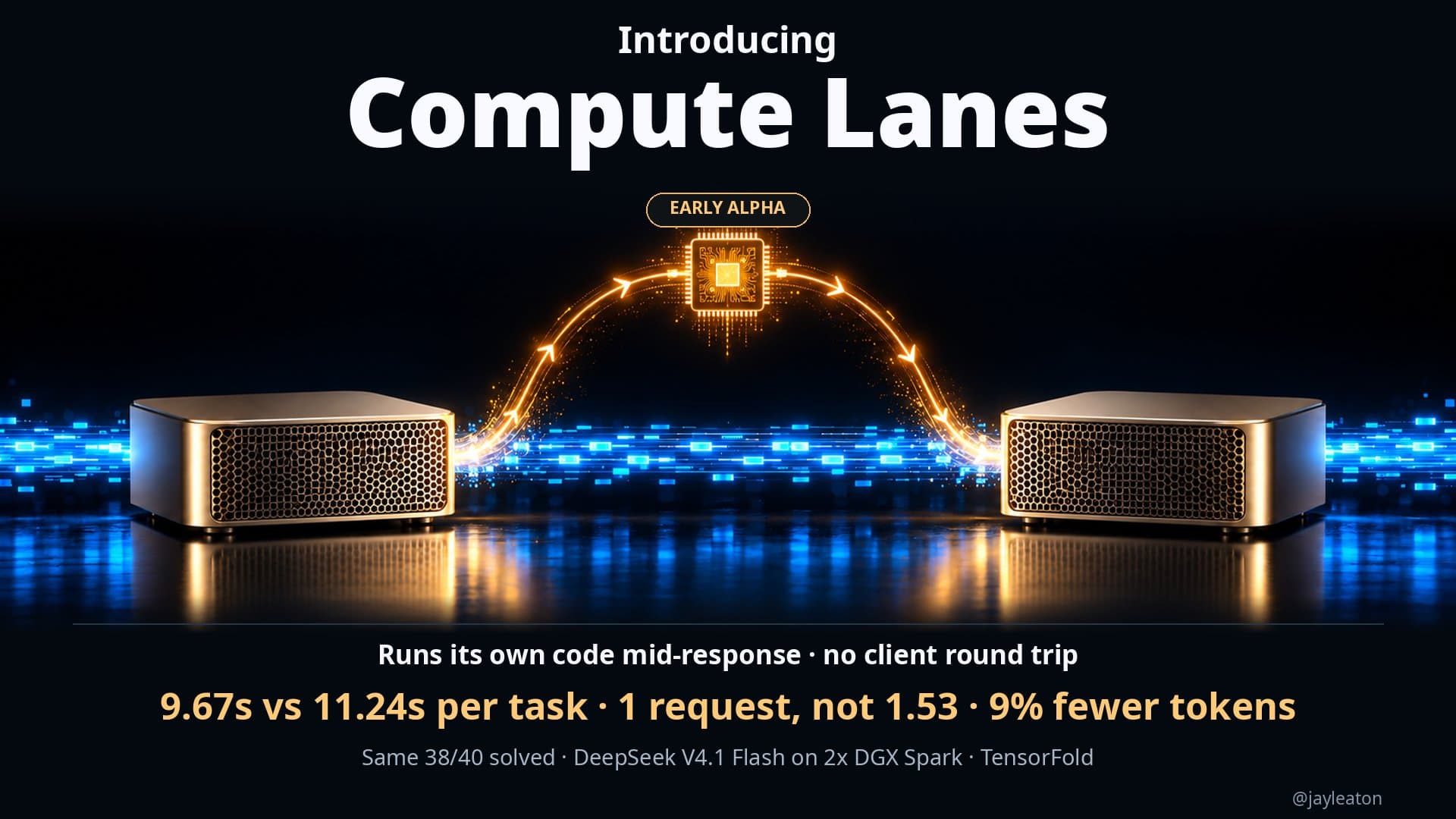
I run DeepSeek V4.1 Flash on two NVIDIA DGX Spark desktop machines using TensorFold, and I keep a recipe for it that other people use too. This week I added an early feature to that recipe called Compute Lanes. It lets the model run its own code while it is still writing its answer, instead of stopping, waiting for the result and starting again.
On 40 coding tests, it solved the same 38 as before and finished 16% faster overall. It also used fewer requests and fewer tokens. It is early alpha and not fully stable yet, but the idea is worth understanding if your business is thinking about AI agents or running models on its own hardware.
The problem with the normal loop
Most AI agents work in a loop. The model writes part of an answer, decides it needs to run something (a calculation, a test, a bit of code), and stops. Your software takes that request, runs the code, sends the result back, and the model starts a fresh response with the new information.
Every one of those stops is a round trip. The model has to finish, wait for the client, then pick up again. On a single task that might happen once or twice. Across hundreds of tasks a day it adds up in time and in tokens, because each restart sends context back through the model.
What Compute Lanes does
Compute Lanes keeps all of that inside one generation. When it's switched on, the model can fire off compute tasks to the DGX Spark's CPU cores while it is still generating. The result feeds straight back into the same response. There is no client round trip.
The simplest way to think about it is an internal tool call that the model triggers itself. It doesn't have to finish, wait and go again.
The idea came after seeing what @divagr1925 was able to build into the model weights. That made me ask a simple question: what if the computation could happen before the model has finished responding?
The numbers
I ran the same 40 coding tests with Compute Lanes on and off. Both versions solved 38 of the 40, so the quality didn't change. What changed was how long it took and how much work it needed:
- 9.67 seconds per solved task, down from 11.24 seconds
- 1 request per task, down from 1.53 on average
- 9% fewer tokens
That works out to 16% faster across all 40 tests.
There was a bonus too. With lanes switched off, the model itself got a little faster thanks to a KV mirror change from @bertholomusai. Code generation went to 107.2 tokens per second (up 5.1%) and prose to 48.6 tokens per second (up 3 to 4%).
What this means for a business
You don't need to run DeepSeek on DGX Sparks to take something from this. A few points carry over to any company using AI agents.
Round trips cost money and time. If your agents spend their day calling tools, the waiting between steps is often a bigger cost than the thinking. Cutting a task from 1.53 requests to 1 is the kind of change that shows up on a bill when you are paying per request or per token through a cloud API. When you run the model yourself, it means the same machine gets through more work.
Faster doesn't have to mean worse. The test I care about is whether the model still gets the right answer. Here it solved exactly the same tasks. Any speed claim you hear about AI tools should come with that check. If a vendor says something is faster, ask what the success rate was before and after.
Owning the stack lets you change how it works. This kind of change is only possible because the whole setup runs locally. I could change how the engine handles tool calls because I control the engine. With a hosted API you get whatever loop the provider gives you. For a business that keeps its data on its own machines for privacy reasons, this is a second benefit. You can tune the system around your own workload.
Use spare hardware you already paid for. The DGX Spark's CPU cores normally sit mostly idle while the GPU generates text. Compute Lanes puts them to work during generation. If you are buying hardware for local AI, it's worth asking what else that machine can do while the model is busy.
Where it's at
I want to be clear that this is early. It's on by default in my recipe, but it isn't 100% stable yet, and I wouldn't put it in front of customers today. I've shared the pull requests so people can test it and read how it works, and I'll post more once it's stable.
That's the normal path for local AI right now. A lot of the speed gains come from a community of people trying ideas, measuring them on real tasks and sharing what works. The TensorFold community has been a big part of that for me.
Where to start
If your team is building with AI agents, or you're weighing up local hardware against cloud APIs, the useful first step is to look at how your agents actually spend their time and where the cost goes. That's what we work through in a Build Things AI readiness audit: your workflows, your data and privacy needs, and whether running models on your own machines makes sense for you.
Sources
Related articles
5 min read
When an AI speedup helps and when it doesn't: my compute lanes results
My local DeepSeek setup got 6.3s replies instead of 26.9s with 78% fewer tokens on computation tasks, and no gain on standard benchmarks. Here's why.
6 min read
How many people can share one local AI setup? My DeepSeek numbers
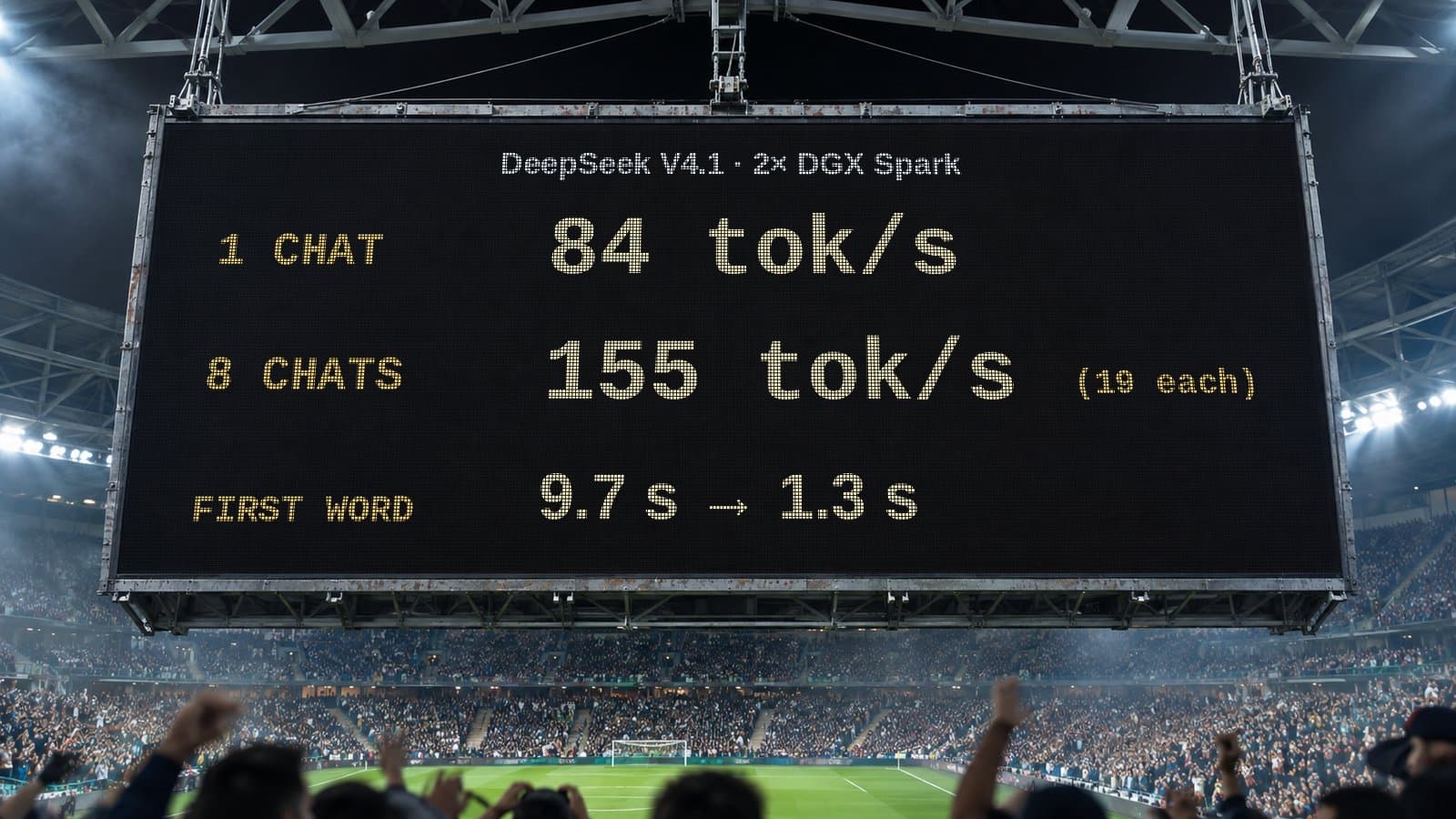
One chat on two DGX Sparks gets 84 tok/s. Eight at once share 155 tok/s. What that means when you plan local AI for a whole team, not just one person.

5 min read
AI is going to get more expensive. Here's how I'm planning for it
Cloud AI prices and hardware costs are likely to rise. How I match models to tasks and move work to local AI so my business isn't caught out.