5 min readBy JJ Eaton
One big AI machine or two smaller ones? Why I'd split the budget
For the same money, two smaller machines beat one big one for local AI: faster first token, double the compute, no single point of blocking, better resale.
If your business is thinking about running AI models on its own hardware, the first instinct is usually to buy the biggest machine you can afford. More memory feels like the safe choice. After running local models on linked machines for a while, I think that instinct is often wrong. For the same money, two smaller machines usually give you more.
Here is what I looked at this week, and what it means if you are the person signing off on the purchase.
The comparison: one 512GB Mac Studio or two 256GB ones
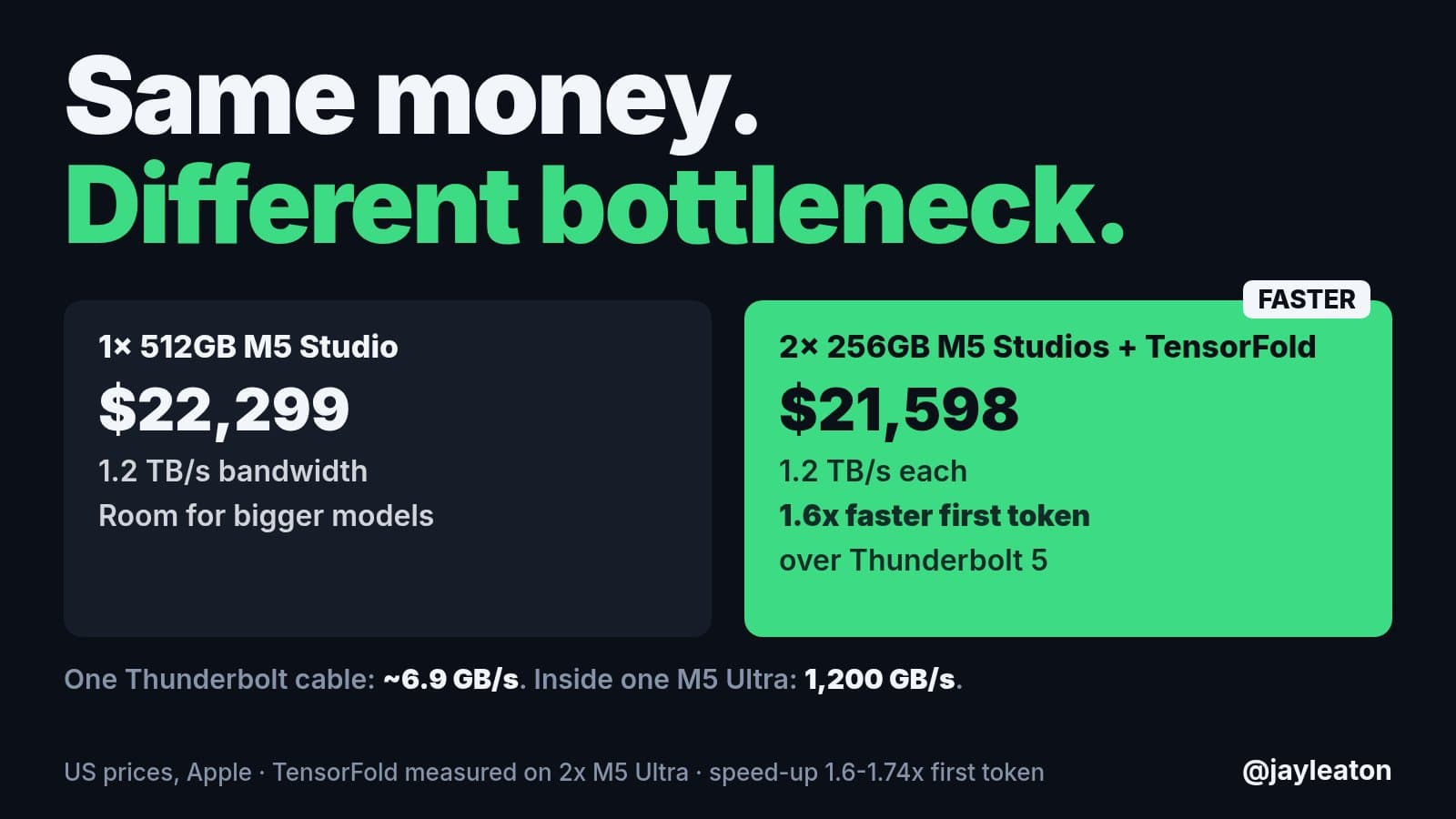
Apple's new M5 Studio with 512GB of memory starts at $22,299 (US pricing, before tax). Two 256GB Studios come to $21,598. So the pair is actually slightly cheaper.
Both options have the same memory bandwidth per machine, about 1.2 TB/s. The big one gives you more room in a single box, so it can hold a bigger model in one place. The two smaller ones give you double the compute.
Using two Studios linked over Thunderbolt with TensorFold (a project I contribute to for running models across several machines), the measured result is a 1.6x faster first token, and up to 1.74x in TensorFold's measurements on two M5 Ultras. First token is the wait between asking a question and the answer starting to appear, which is the delay your staff actually feel.
Same money. One gives you room, the other gives you speed.
Memory isn't the real bottleneck
The 512GB machine has a lot of memory, but the compute power is still the same as the smaller one. Memory only decides how big a model you can load. How fast that model answers depends on compute, transfer bandwidth and the size of the model itself.
There is also a catch on the linking side. One Thunderbolt cable moves about 6.9 GB/s. Inside a single M5 Ultra, data moves at about 1,200 GB/s. So splitting work across machines is not free, and the larger the model, the bigger the slowdown anyway. That is exactly why it pays to pick a model that fits comfortably rather than the biggest one you can squeeze in.
My current favourite local model, DeepSeek V4.1 Flash, sits at around 200GB. That fits on a 256GB machine. With two of them, you could run two copies side by side and double the number of people or jobs being served at once.
The economics outside of AI
The hardware maths is only half of it. The rest is simple:
- Resale value. Apple hardware holds its value well. If you want to sell a 256GB machine later, you will get most of your money back. You can't sell half of a 512GB machine.
- More of everything. For less money, you get double the storage, CPU and GPU, which helps with plenty of work that has nothing to do with AI.
- No single point of blocking. You have an entire second unit that doesn't hold up the first one. If one machine is busy with a long job, or down for maintenance, the other keeps going.
Honestly, I don't fully understand who the 512GB Studio is for. My own preferred setup would be three of the 96GB versions. That triples the compute, still gives just under 300GB of memory in total, and costs less. I would link two of them together for the main model and keep the third on its own for everything else.
For my own normal work I only ordered a 96GB model. I might add a 256GB one later for the larger Flash models.
The same lesson on DGX Sparks
I saw the same pattern this week with LocalRouter, my fully local AI stack, running on two NVIDIA DGX Sparks.
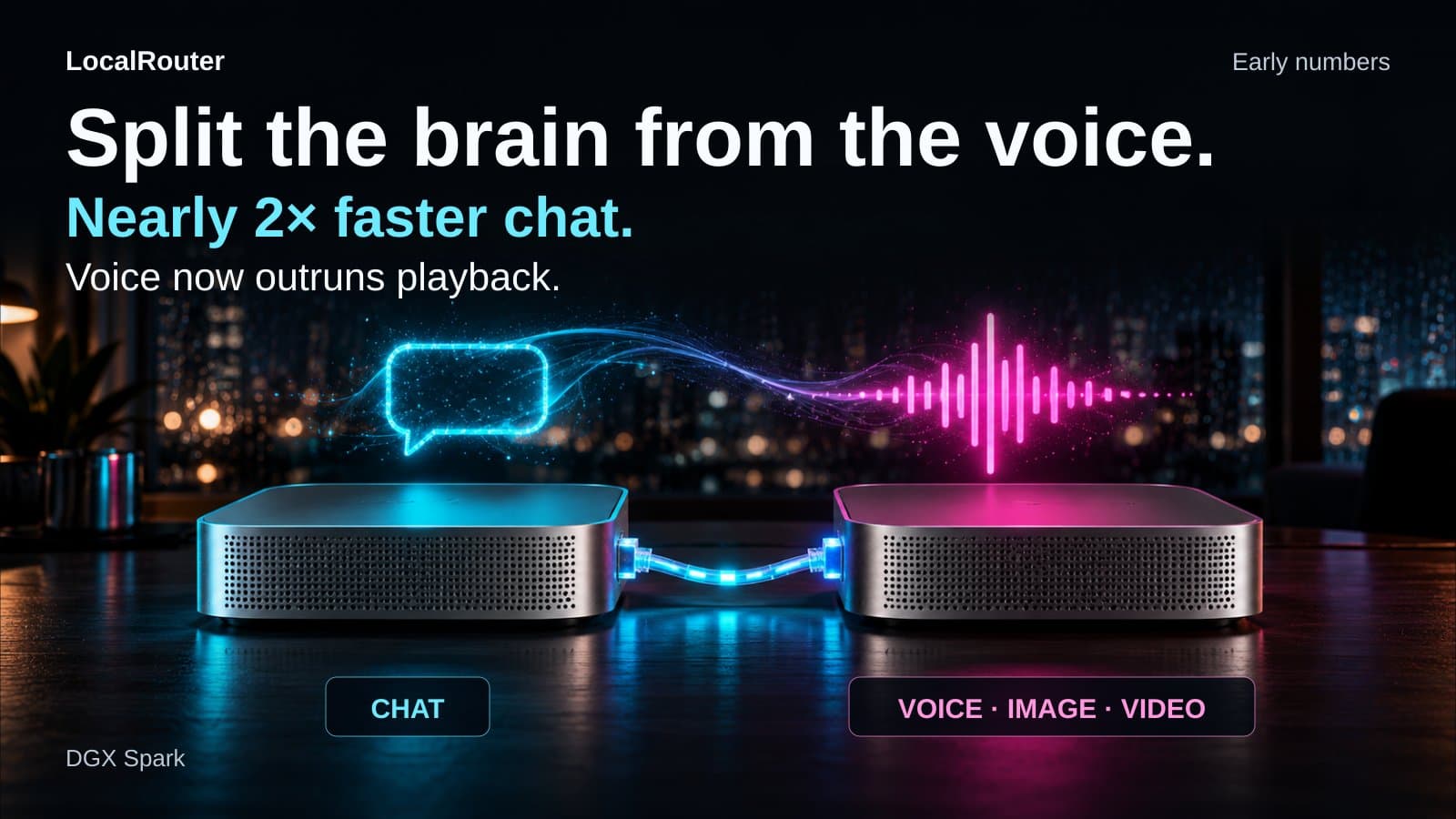
On a single Spark, the biggest problem was the main chat model and the voice model fighting over bandwidth at the same time. So I split them. The chat model now runs on the first Spark, and voice, image, computer use and video run on the second.
The early numbers:
- Chat speed while the voice is talking went from 18 tokens per second on one Spark to 33 tokens per second on two.
- Voice generation went from slower than playback to faster than playback.
That second point matters more than it sounds. If a voice assistant generates speech slower than it plays, people hear stutters and gaps. Faster than playback means it just sounds normal. It also leaves more headroom for more people using it at once.
What this means for your business
If you are planning to bring AI in-house for privacy, cost or control reasons, a few takeaways:
- Buy for the model you will actually run, not the biggest one you can imagine. Pick the model first, check how much memory it really needs, then size the hardware with some headroom.
- Think about how many people will use it at once. Two machines can serve twice the people or run two jobs in parallel. One big machine serves one queue.
- Separate different kinds of work. Chat, voice, image and video models compete for the same resources. Putting them on separate machines can nearly double speed without buying anything bigger.
- Plan for the exit. Smaller, popular configurations are easier to resell or reassign to staff when your needs change.
- Keep a spare. A second machine means AI doesn't stop working when one box is busy or being updated.
None of this needs a data centre. These are desktop machines that sit in an office, and your data never has to leave the building.
Where to start
If you are weighing up local AI hardware and want a straight answer on what to buy for your team and your workloads, that is the kind of thing we cover in a Build Things AI readiness audit. We will look at what you actually want AI to do, which models fit, and the smallest setup that does the job well, before you spend $20,000 on the wrong box.
Sources
Related articles
6 min read
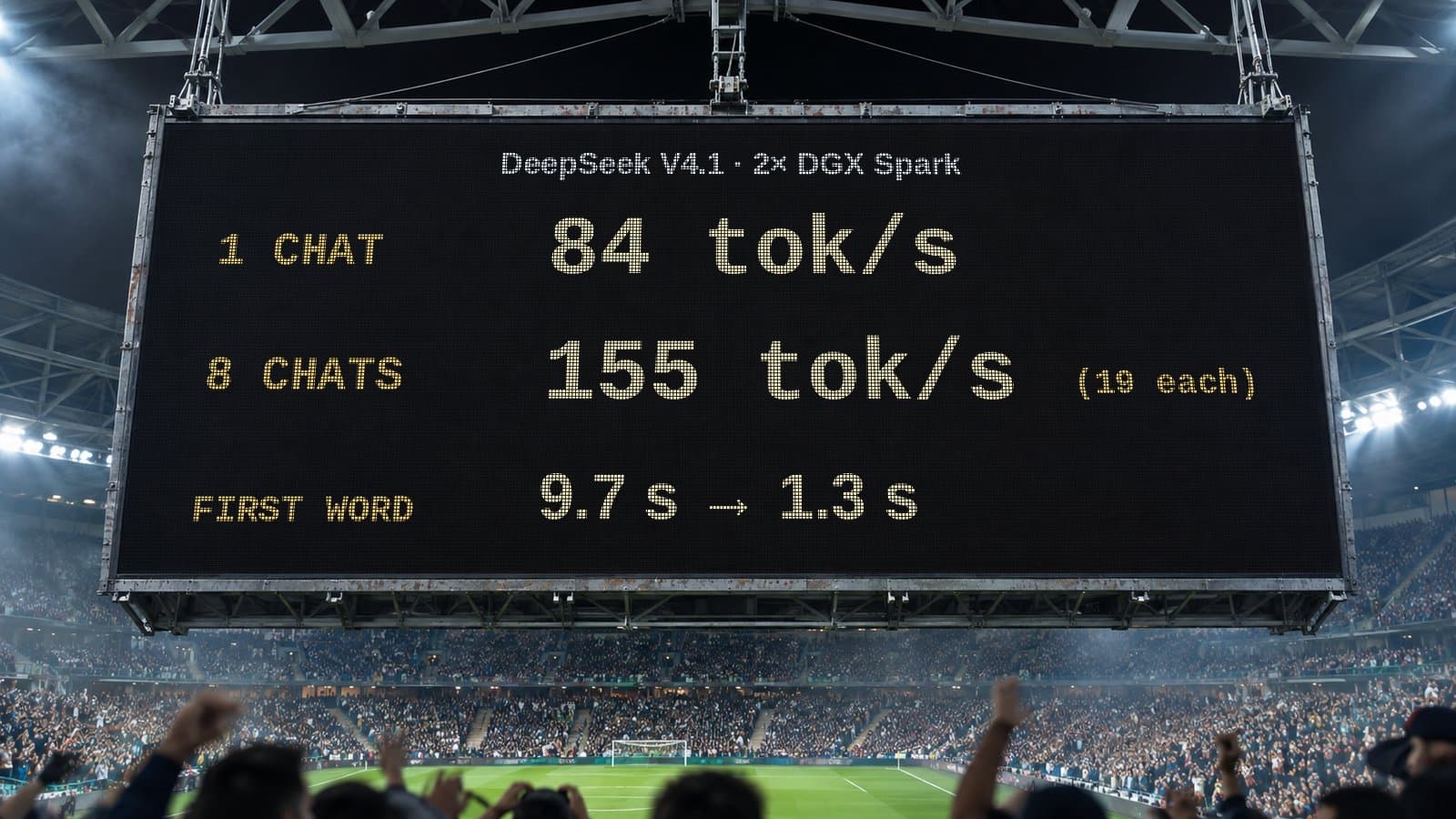
How many people can share one local AI setup? My DeepSeek numbers
One chat on two DGX Sparks gets 84 tok/s. Eight at once share 155 tok/s. What that means when you plan local AI for a whole team, not just one person.
5 min read
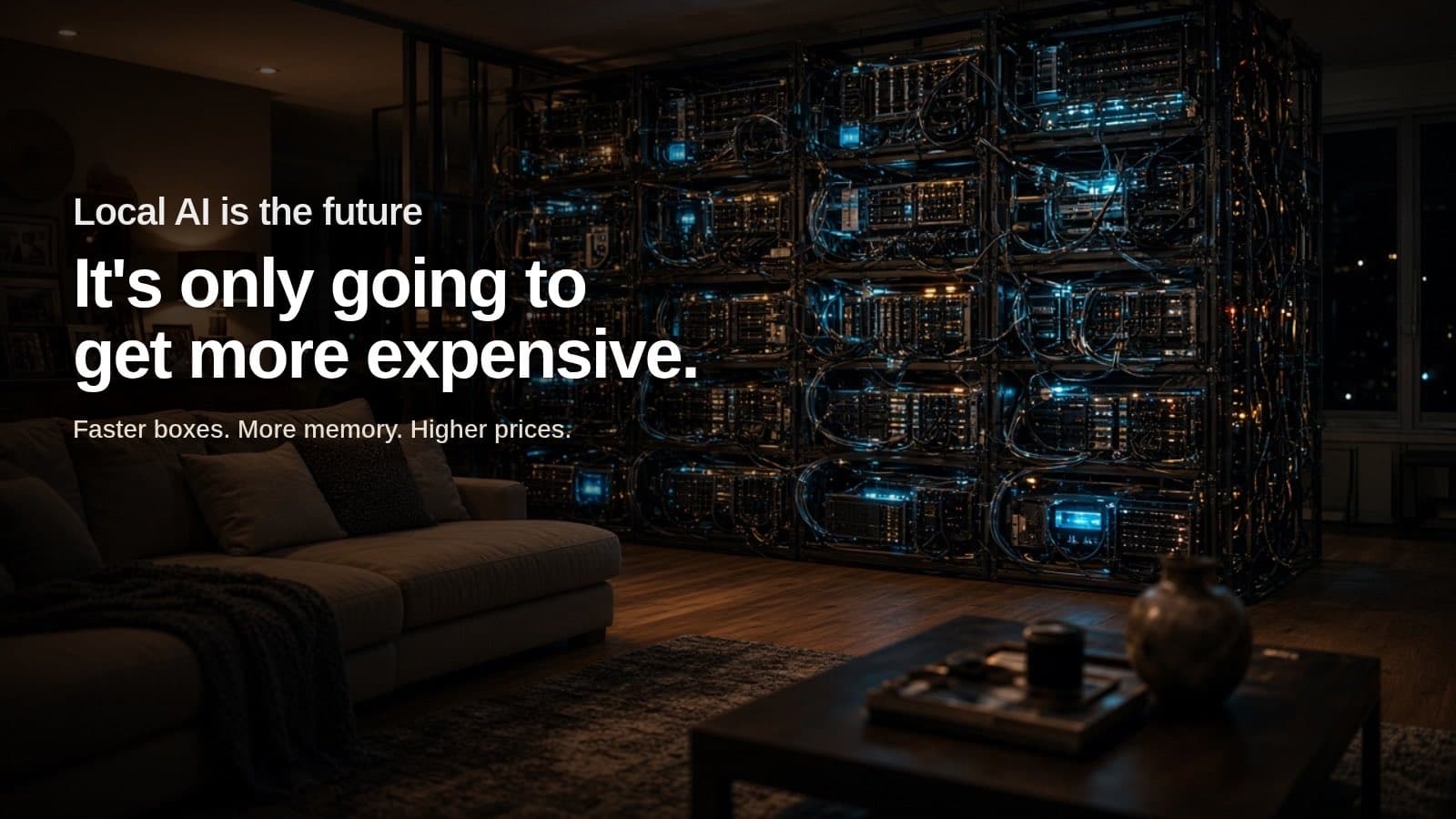
AI is going to get more expensive. Here's how I'm planning for it
Cloud AI prices and hardware costs are likely to rise. How I match models to tasks and move work to local AI so my business isn't caught out.
5 min read
When an AI speedup helps and when it doesn't: my compute lanes results
My local DeepSeek setup got 6.3s replies instead of 26.9s with 78% fewer tokens on computation tasks, and no gain on standard benchmarks. Here's why.